VEXPLOR AAS Studio는 AASX 작성 · 검사부터 설비 값 수집과 MES · ERP · CMMS 연동까지 웹 화면 하나로 처리합니다
VEXPLOR AAS Studio handles AASX authoring, validation, live collection and MES, ERP and CMMS integration in one web app
설비 AASX를 올리면 규칙 43종이 어긋난 곳을 짚고, 고칠 수 있는 지적은 미리 보고 한 번에 고칩니다. 같은 서버가 IDTA Part 2 REST API로 AAS를 내주고, OPC UA · Modbus TCP · MQTT로 설비 값을 모으고, MES · ERP · CMMS에 사건(이벤트)과 설비 정보를 보냅니다.
Upload a machine's AASX: 43 rules show what breaks, and the fixable findings are repaired in one step after a preview. The same server serves the AAS over the IDTA Part 2 REST API, collects machine values over OPC UA, Modbus TCP and MQTT, and sends events and equipment data to MES, ERP and CMMS.
제조 IT · OT 엔지니어, MES · ERP · CMMS 연동 담당, AAS 제출을 준비하는 기업이 직접 설치해 쓰는 오픈소스입니다.
Built for manufacturing IT/OT engineers, MES · ERP · CMMS integrators and teams preparing AAS submissions — self-hosted.
체험 서버 상태를 확인하는 중입니다.Checking the trial server.데모 계정 demo / 0629 — 새 창으로 열립니다. 체험 서버는 시연용입니다.Demo account demo / 0629 — opens in a new tab. The trial server is for demonstration.체험 서버가 지금 응답하지 않습니다. 「시작하기」 절의 Docker 명령으로 내 컴퓨터에서 실행할 수 있습니다.The trial server is not responding right now. The Docker commands in "Get started" run it on your own machine.
43
검사 규칙lint rules
19
자동 고치기 규칙auto-fix rules
V3.0
AAS 메타모델AAS metamodel
3
수집 규약 OPC UA · Modbus TCP · MQTTcollection protocols: OPC UA · Modbus TCP · MQTT
왜 만들었나Why
VEXPLOR AAS Studio는 도구 셋이 하던 일을 브라우저 한 화면에 모읍니다
VEXPLOR AAS Studio brings the work of three tools into one browser screen
하던 일Task
예전 도구Usual tool
여기서는Here
AASX 열기 · 고치기 · 내려받기Open · edit · export AASX
예전 도구Usual toolAASX Package Explorer (설치형)AASX Package Explorer (desktop)
여기서는Here브라우저에서, 고칠 곳을 짚어 주고 자동으로 고칩니다In the browser, with findings and auto-fix
다른 시스템에 AAS 내주기 (Part 2 REST · 레지스트리)Serve AAS to other systems (Part 2 REST · registry)
예전 도구Usual toolEclipse BaSyx 서버Eclipse BaSyx server
예전 도구Usual tool별도 OPC UA 클라이언트 · 서버Separate OPC UA client / server
여기서는HereAAS 안의 AID대로 모으고 OPC UA 서버로 내줍니다Collects per the AID in the AAS and publishes via an OPC UA server
위 도구들과 제휴하거나 그 소스를 쓴 것이 아닙니다 — 같은 일을 한곳에 모았다는 뜻입니다.
Not affiliated with, and not derived from, the tools above — it combines the same jobs in one place.
표준 검증을 모두 통과한 AASX도 제출처 검증기의 사업 규칙(semanticId 허용 목록 · 필수 서브모델 · 패키지 구조)에서 떨어질 수 있습니다. VEXPLOR AAS Studio는 그 규칙을 제출 전에 미리 검사합니다. 최종 합격 판정은 제출처 검증기가 합니다.
An AASX can pass every standard check and still fail the receiving validator's business rules (semantic-ID allow-lists, mandatory submodels, package structure). VEXPLOR AAS Studio checks those rules before you submit. The receiving validator remains the only authority on acceptance.
기능Features
VEXPLOR AAS Studio의 기능 6가지 — 그림은 모두 실제 화면입니다
Six things VEXPLOR AAS Studio does — every picture is a real screen
01작성 · 트리Author & tree
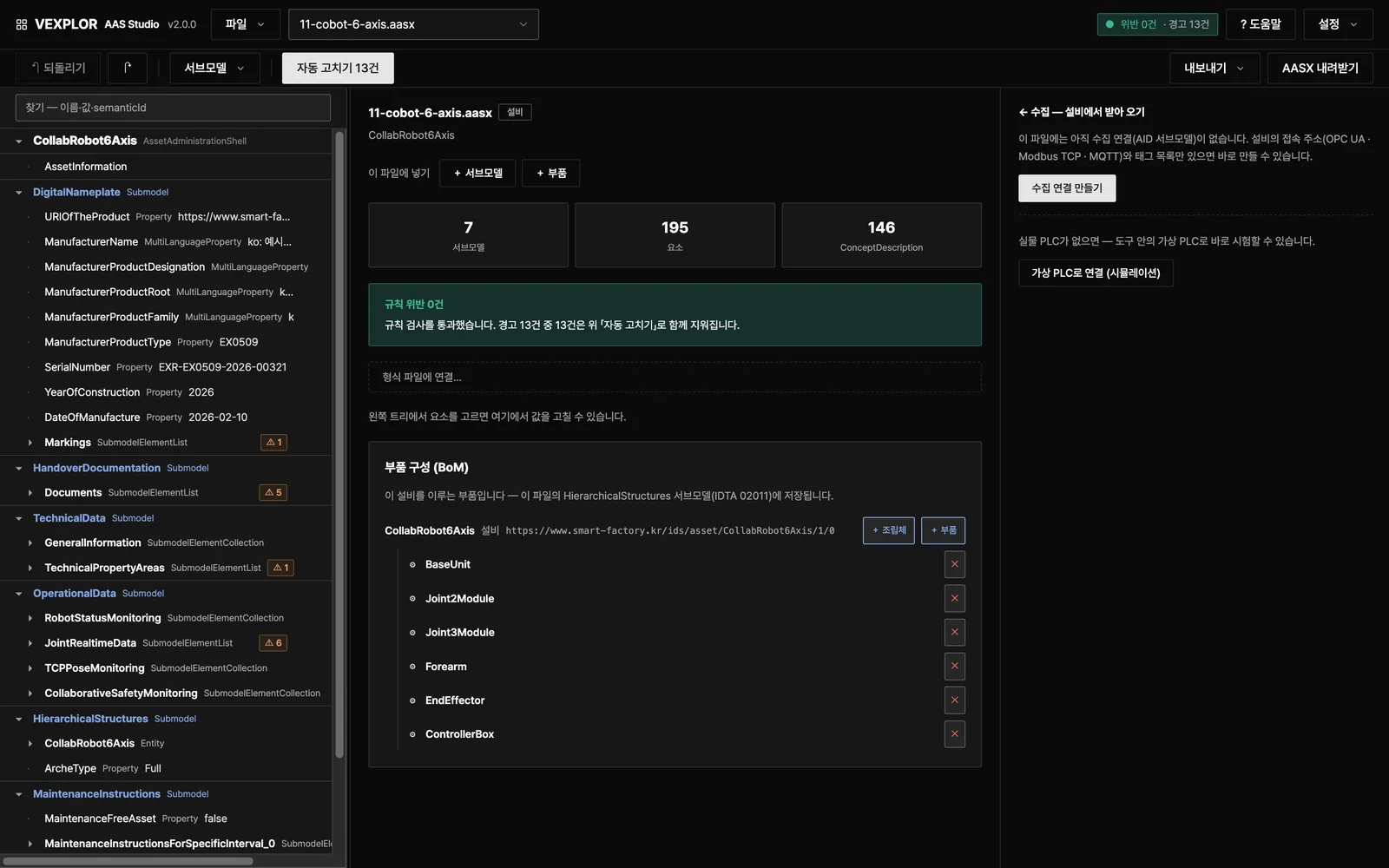
트리 화면은 AASX 구조를 펼쳐 보여 주고, 사용자는 그 화면에서 바로 값을 고칩니다
The tree shows the whole AASX, and you edit values in place
AASX(JSON · XML)를 열어 AAS → 서브모델 → 요소 순서로 봅니다Open AASX (JSON or XML) and browse AAS → submodel → element
값 · 요소 · 서브모델 · ConceptDescription을 고치고, 값 표나 CSV 설비 대장으로 여러 값을 한 번에 채웁니다Edit values, elements, submodels and concept descriptions; fill many values at once from a value table or a CSV equipment list
한 번에 되돌리고, 서브모델을 지난 시점으로 복원합니다One-step undo, and restore a submodel to an earlier point
파일이 없으면 「견본으로 시작하기」가 다 채운 설비 1종과 공정 구성을 엽니다No file yet? "Start with a sample" opens a fully filled machine and a process structure
02검사 · 자동 고치기Findings & auto-fix
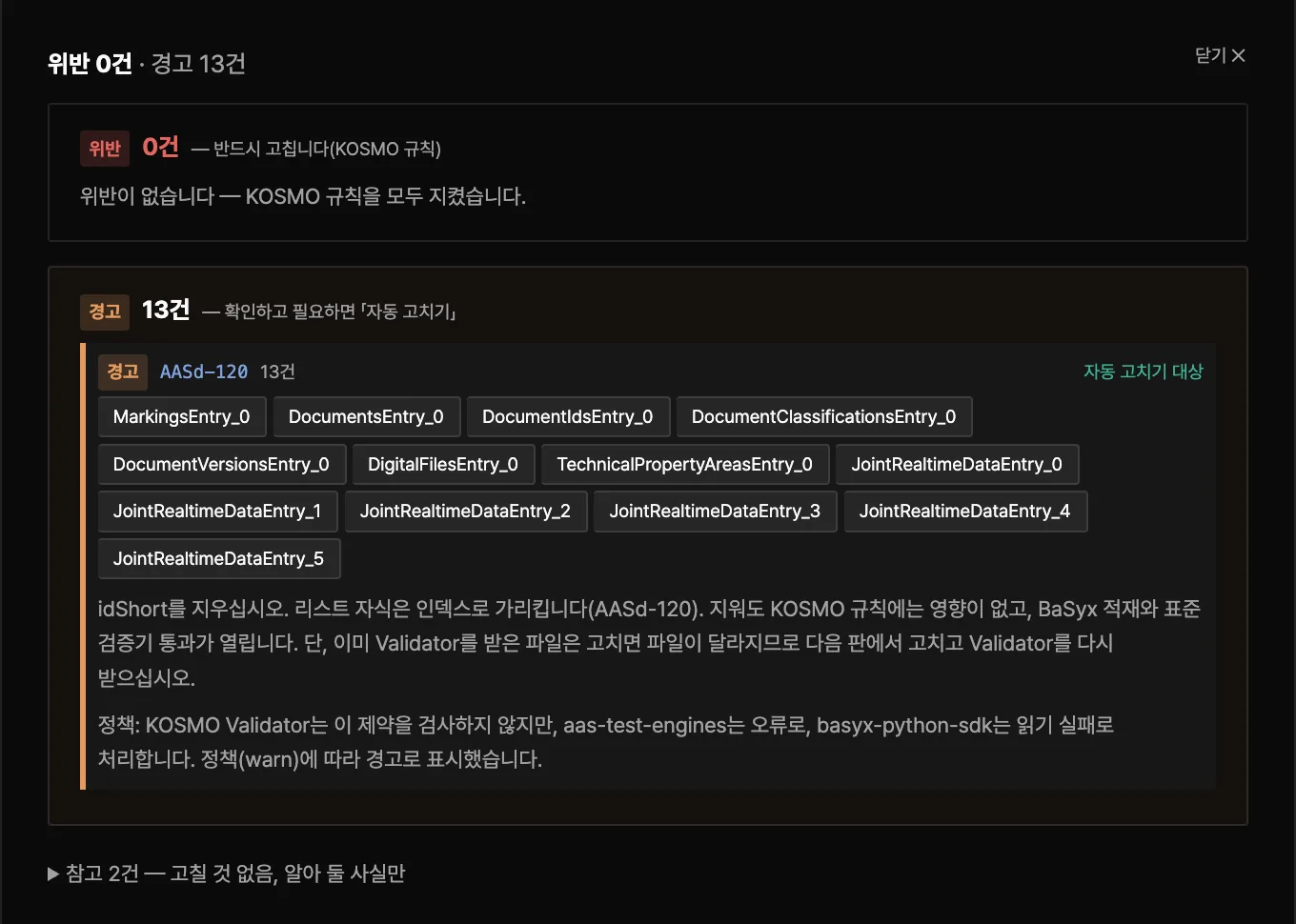
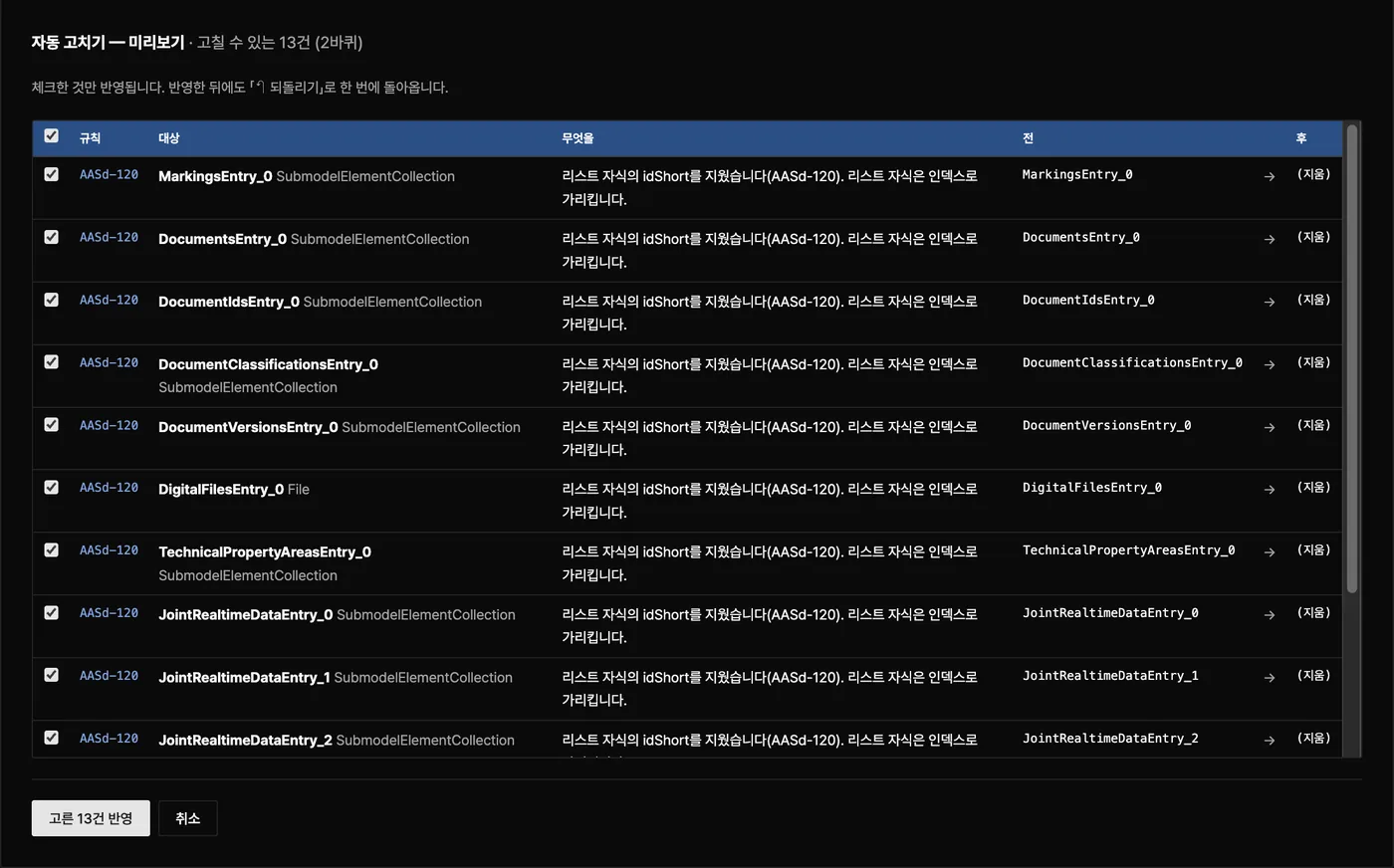
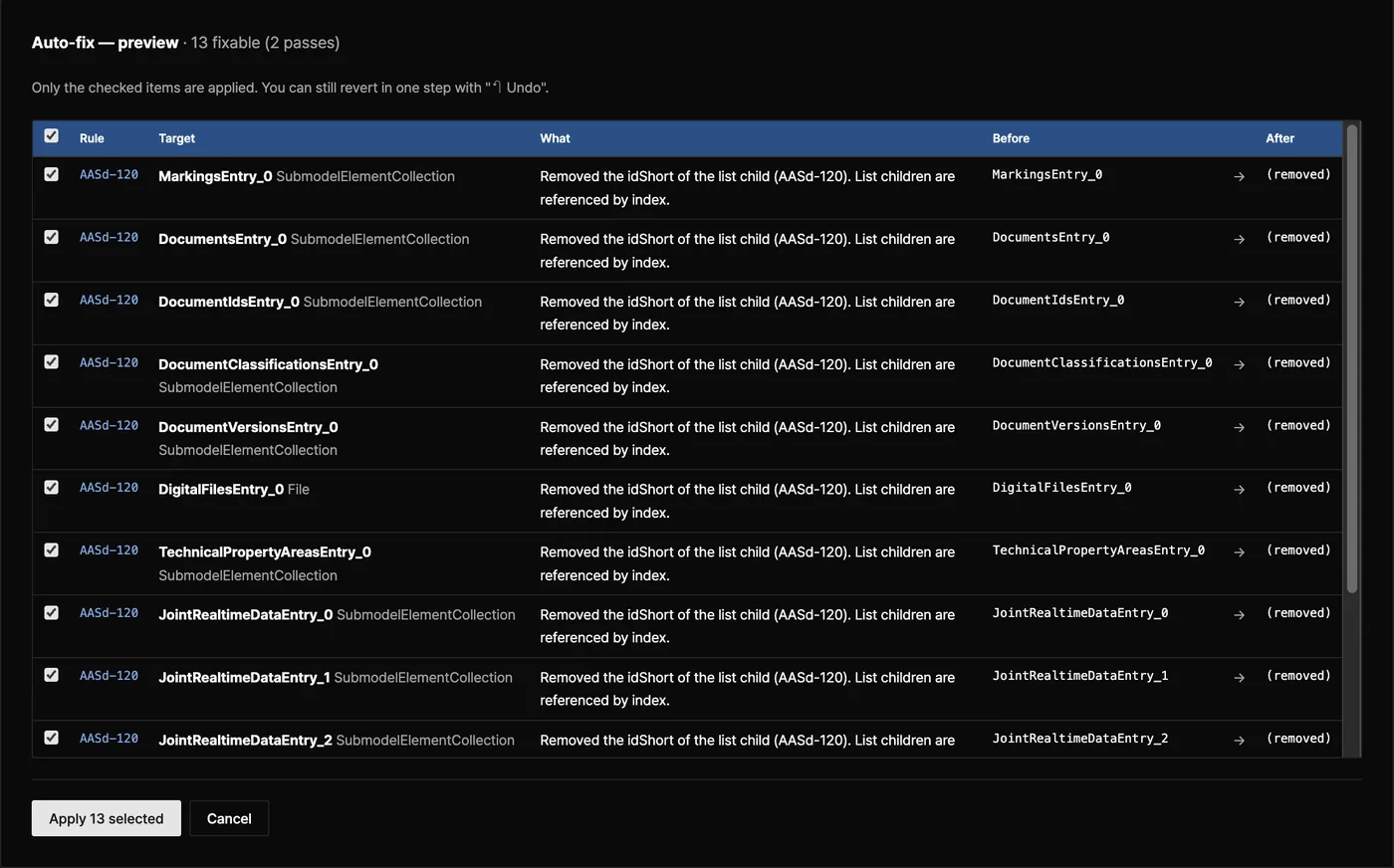
규칙 43종이 어긋난 곳을 짚고, 고치기 전에 바뀔 값을 먼저 보여 줍니다
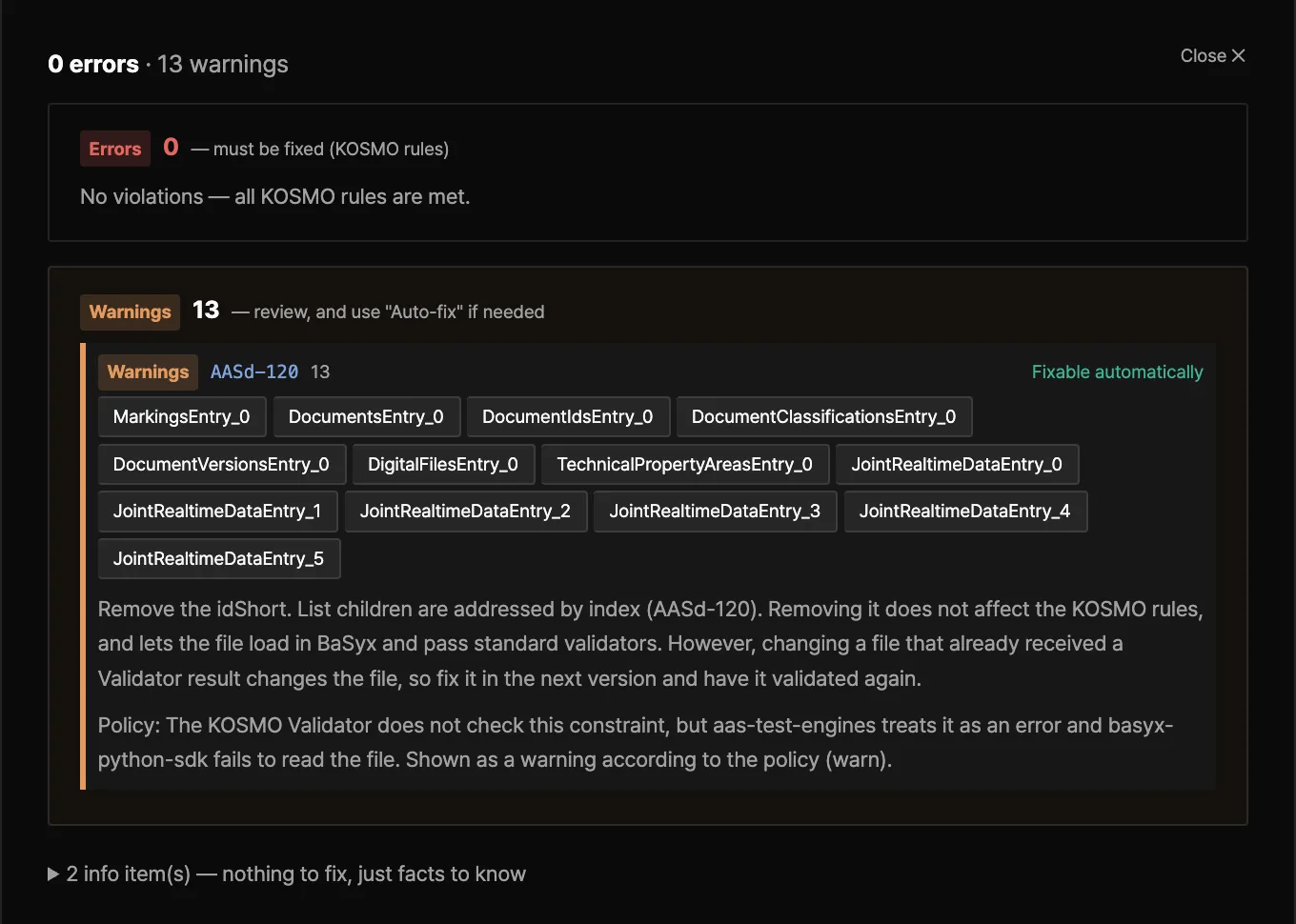
43 rules point to what breaks and show each change before it applies
패키지 구조(L1) · 메타모델 제약(L2) · 제출처 사업 규칙(L3)으로 나눠 검사합니다Three layers: package structure (L1), metamodel constraints (L2), submission business rules (L3)
위반 · 경고 · 참고로 나누고, 왜 틀렸는지와 고치는 법을 함께 적습니다Errors, warnings and notes, each with the reason and how to fix it
고칠 수 있는 지적(규칙 19종)은 전 / 후를 보고 체크한 것만 반영합니다. 바꾼 내용은 이관 대장에 남습니다Fixable findings (19 rules) show before / after; only the checked ones apply, and every relocation is recorded
03현장 값 수집Live collection
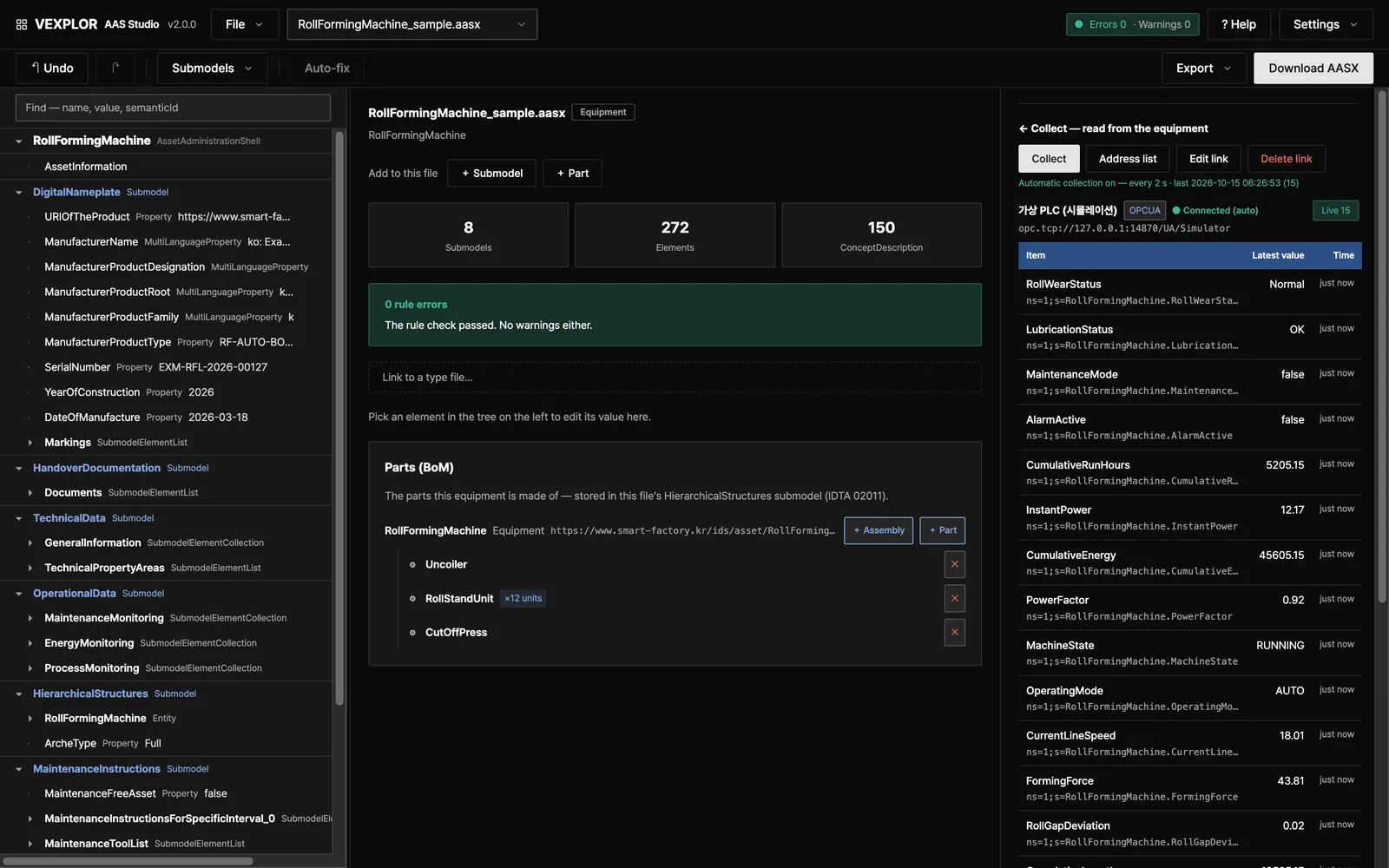
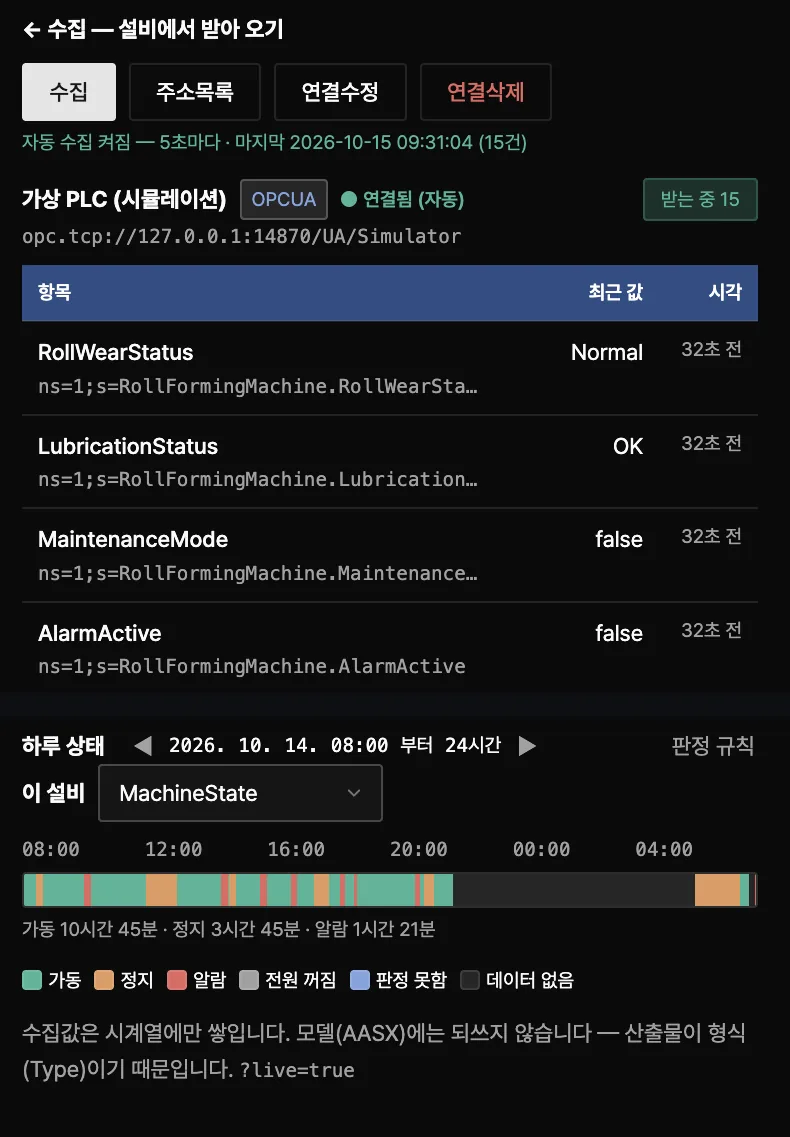
서버가 AAS 안의 AID대로 설비 값을 모으고, 설비마다 하루 상태를 그립니다
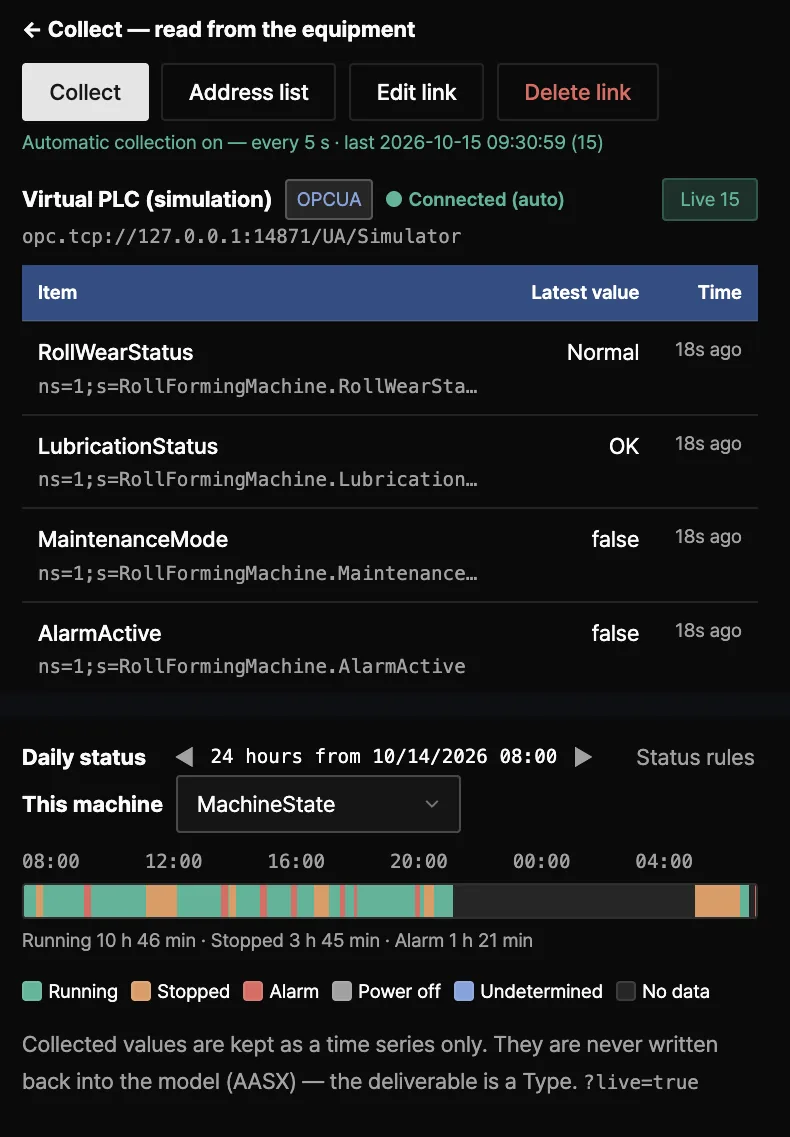
The server collects machine values by the AID inside the AAS and draws each machine's day
OPC UA · Modbus TCP · MQTT — 주소는 AAS 안의 AID(IDTA 02017) 서브모델이 정합니다OPC UA, Modbus TCP and MQTT, addressed by the AID submodel (IDTA 02017) inside the AAS
값마다 받는 중 · 끊김 · 값 없음을 보여 줍니다Each value shows whether it is live, stale or missing
설비마다 하루 상태 막대(가동 · 정지 · 알람)를 그립니다Each machine gets a daily status bar (running · stopped · alarm)
실물 PLC가 없으면 도구 안의 가상 PLC로 바로 시험합니다No PLC at hand? Test with the virtual PLC built into the tool
막대는 가상 PLC(시뮬레이션)의 하루입니다. 이 페이지를 위해 채운 시연 기록이며 실제 설비 데이터가 아닙니다.The bar shows a day of the virtual PLC (simulation) — demo data filled in for this page, not a real machine.
04표준 APIStandard API
다른 시스템은 IDTA Part 2 REST API로 이 서버의 AAS를 읽어 갑니다
Other systems read the AAS held here through the IDTA Part 2 REST API
globalAssetId로 셸을 찾고, 레지스트리 디스크립터에 적힌 주소로 서브모델을 읽습니다Look up a shell by globalAssetId, then read submodels at the endpoint in its registry descriptor
node scripts/part2-coverage.mjs가 명세의 OpenAPI와 구현을 대조해 정확한 범위를 출력합니다node scripts/part2-coverage.mjs compares the implementation with the specification's OpenAPI files
# 셸 찾기 (globalAssetId)
GET /api/v3.0/lookup/shells?assetIds=<base64url>

# 파일별 Part 2 기준 주소
GET /packages/{packageId}/api/v3.0/shells
GET /packages/{packageId}/api/v3.0/submodels/{id}# find the shell (globalAssetId)
GET /api/v3.0/lookup/shells?assetIds=<base64url>

# Part 2 base path per file
GET /packages/{packageId}/api/v3.0/shells
GET /packages/{packageId}/api/v3.0/submodels/{id}
05제출 번들 · 결과서Bundle & report
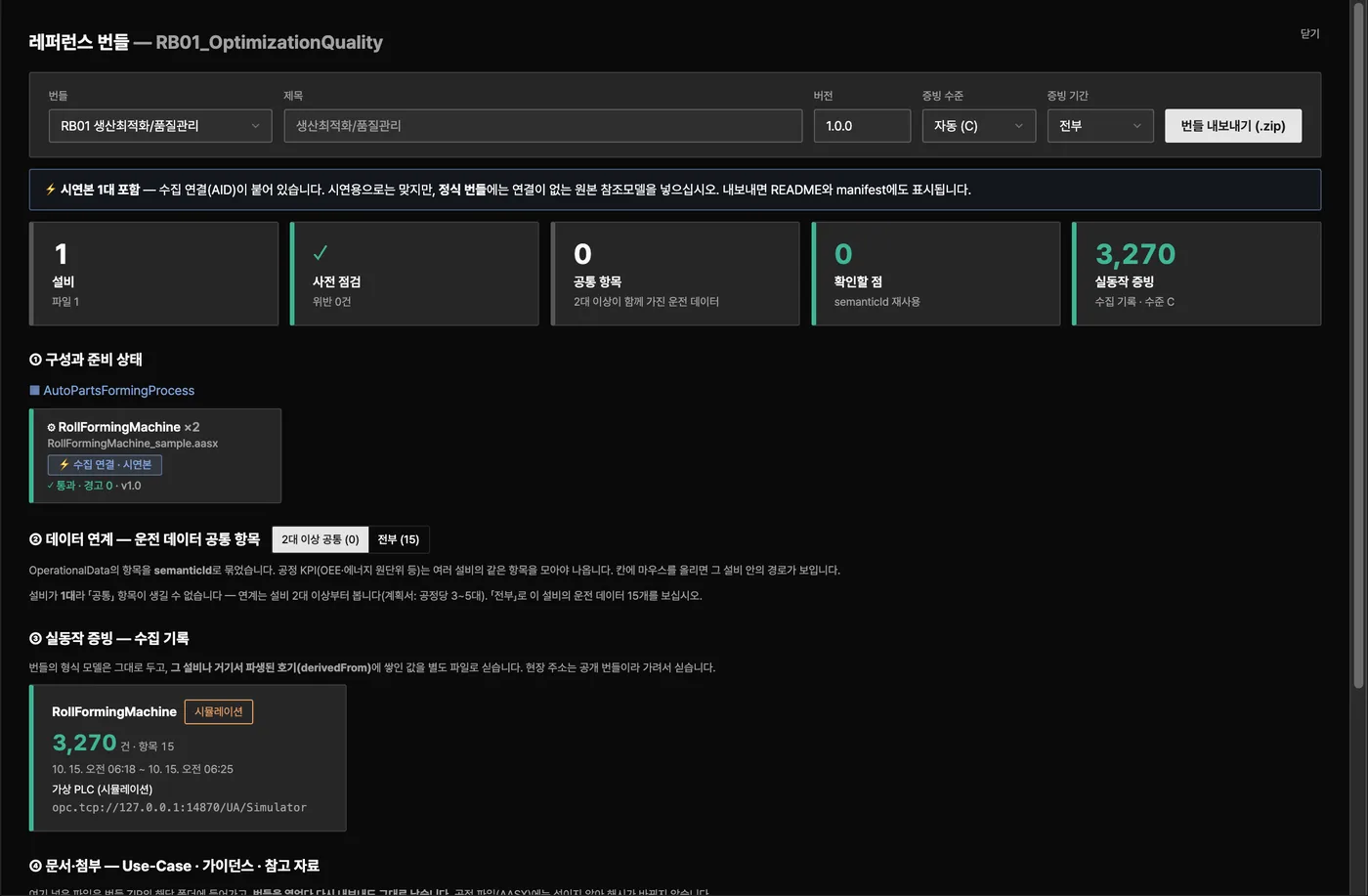
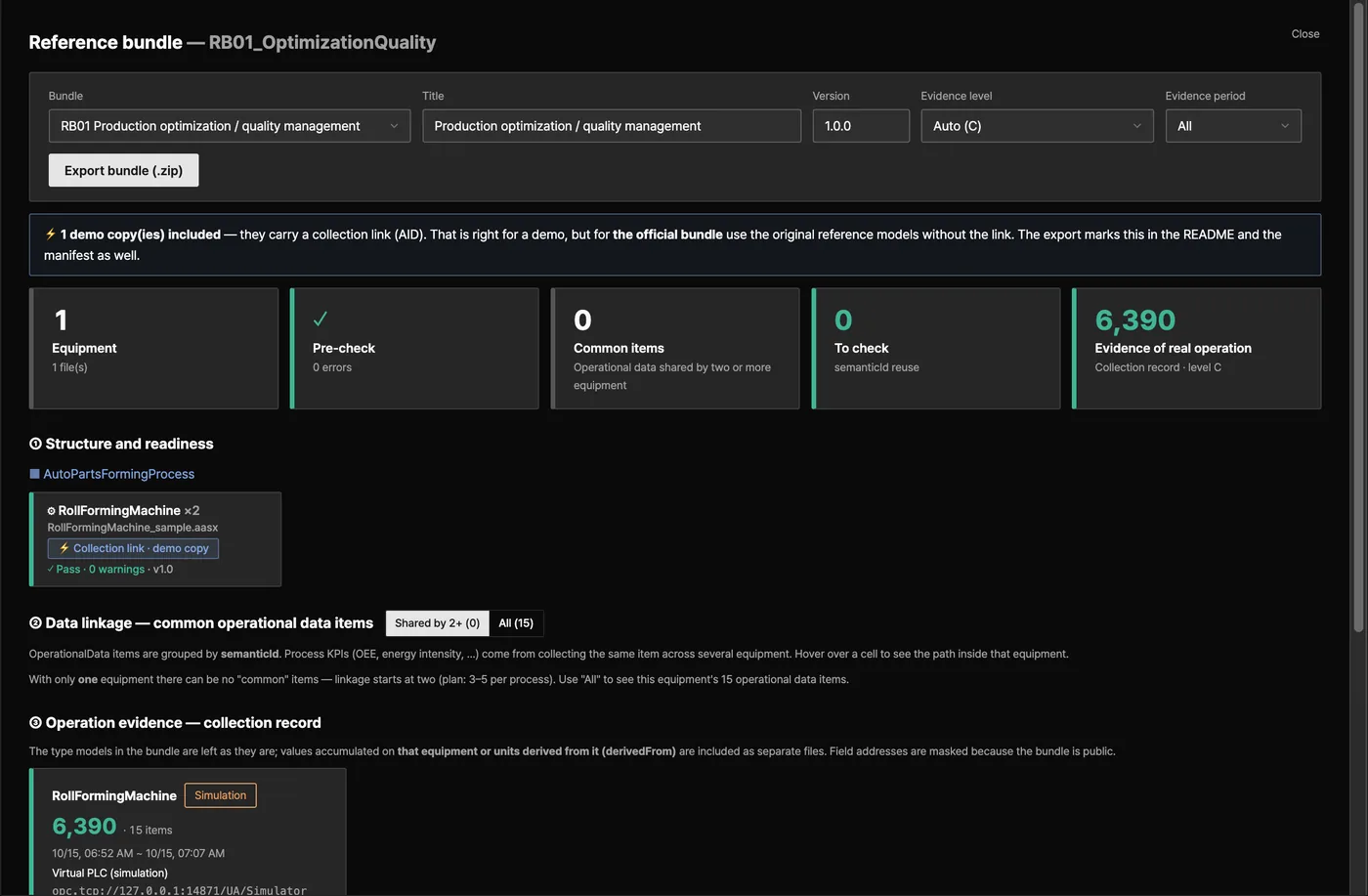
공정 묶음은 제출용 레퍼런스 번들과 검증 결과서로 나갑니다
A process grouping exports as a submission bundle and a validation report
회사 → 라인 → 공정 → 설비 → 부품 계층으로 설비를 묶습니다Group machines as company → line → process → equipment → part
레퍼런스 번들 ZIP 하나에 모델 · 첨부 · 사전 점검 결과를 담고, bundle-manifest.json에 파일마다 SHA256을 적습니다One reference-bundle ZIP with models, attachments and pre-check results; bundle-manifest.json records a SHA256 per file
검증 결과서는 HTML이라 인쇄하면 그대로 PDF가 됩니다The validation report is HTML and prints straight to PDF
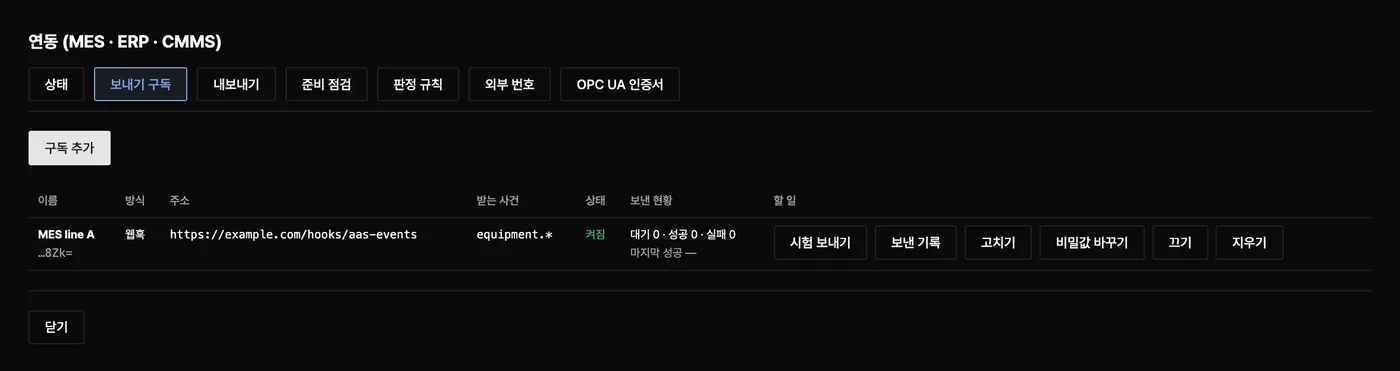
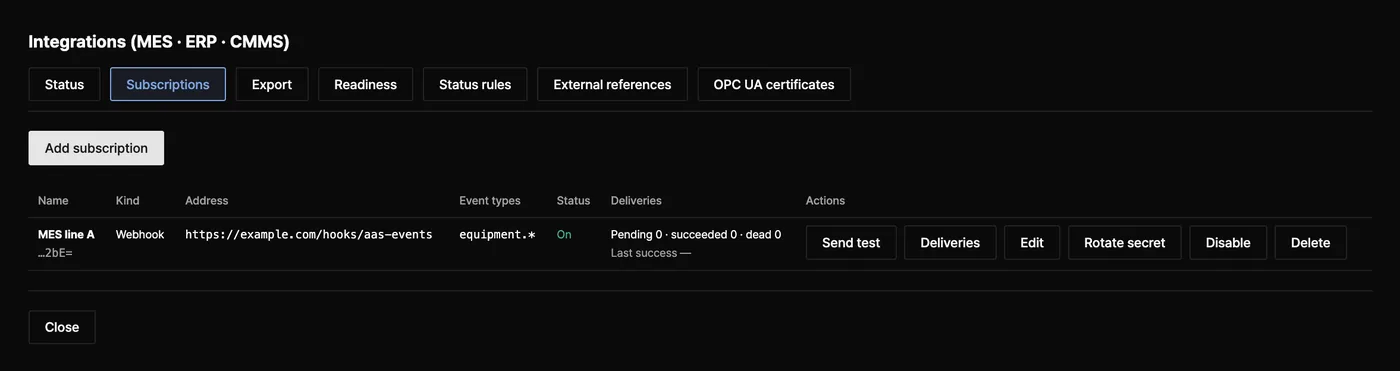
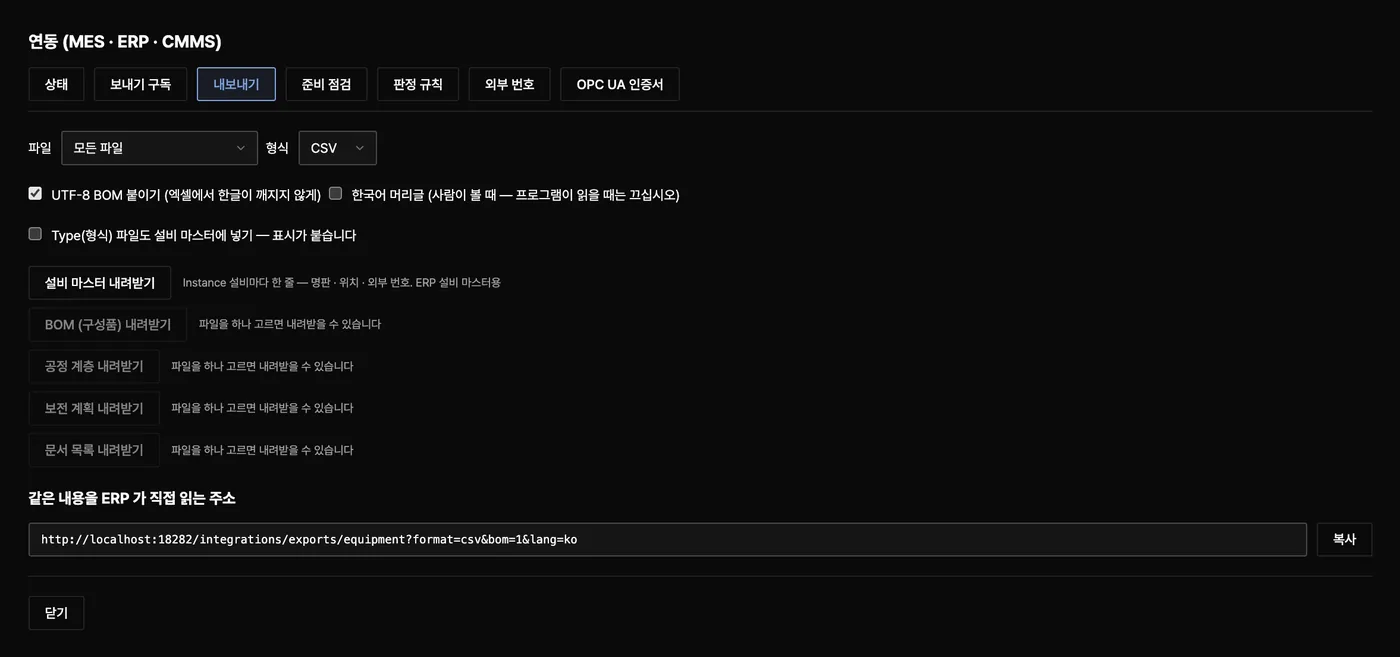
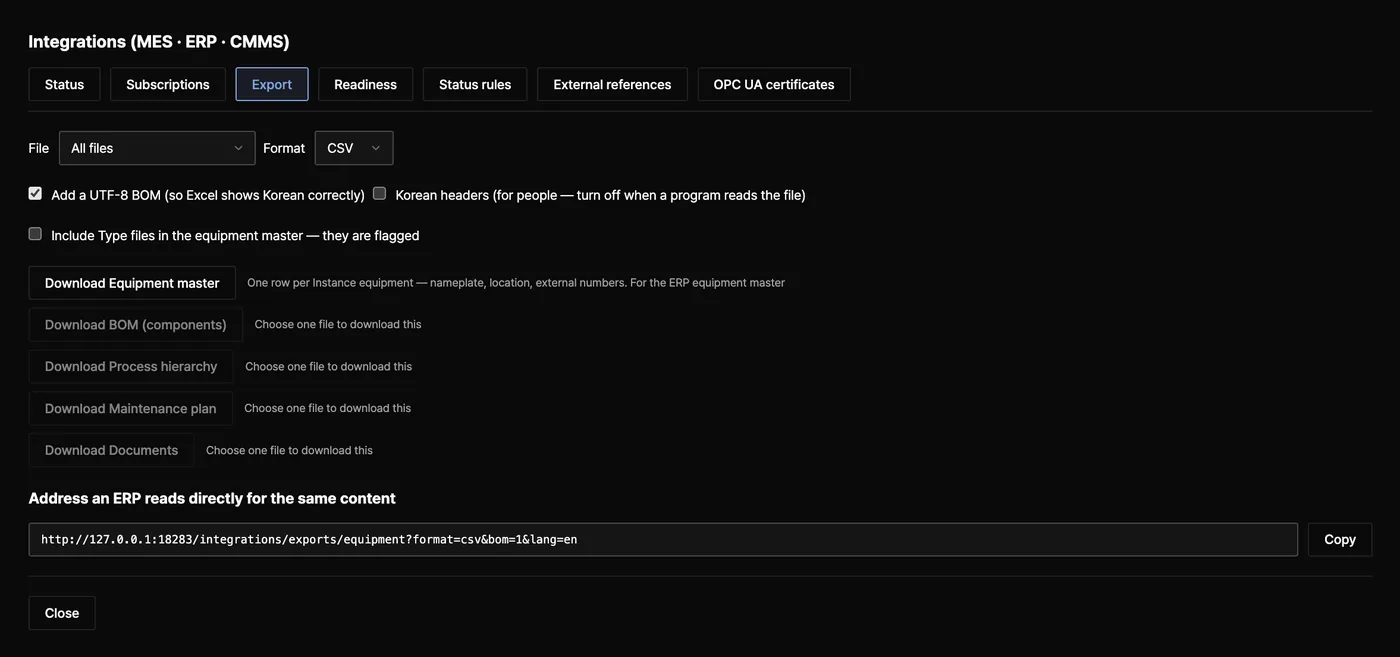
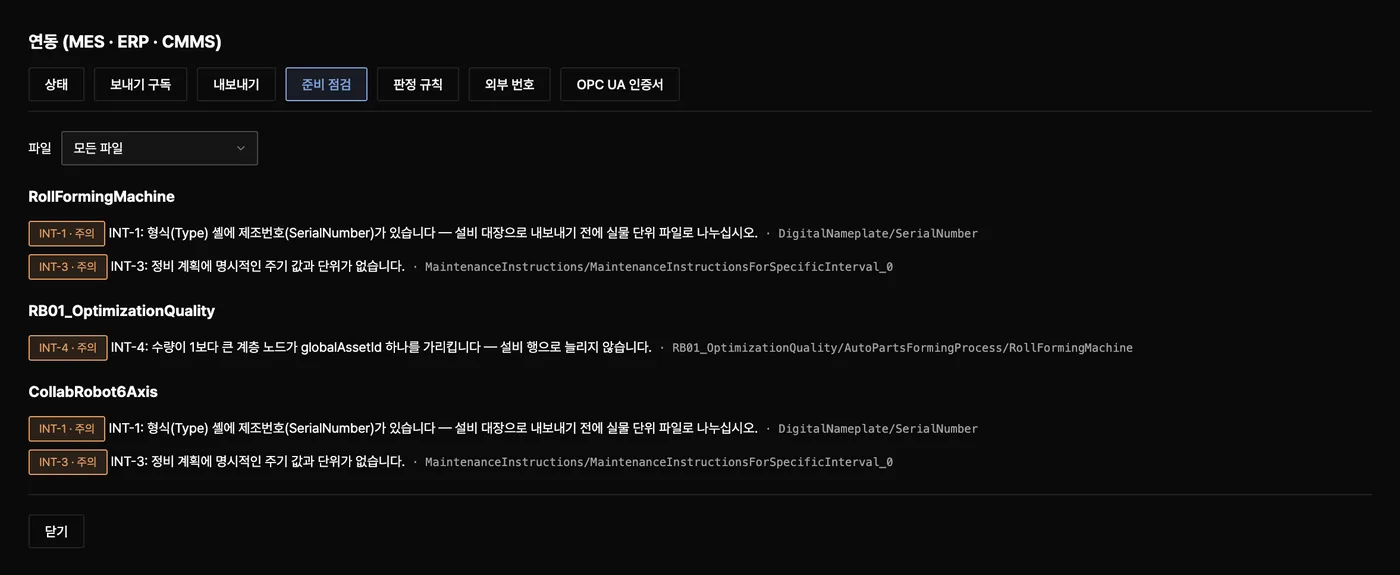
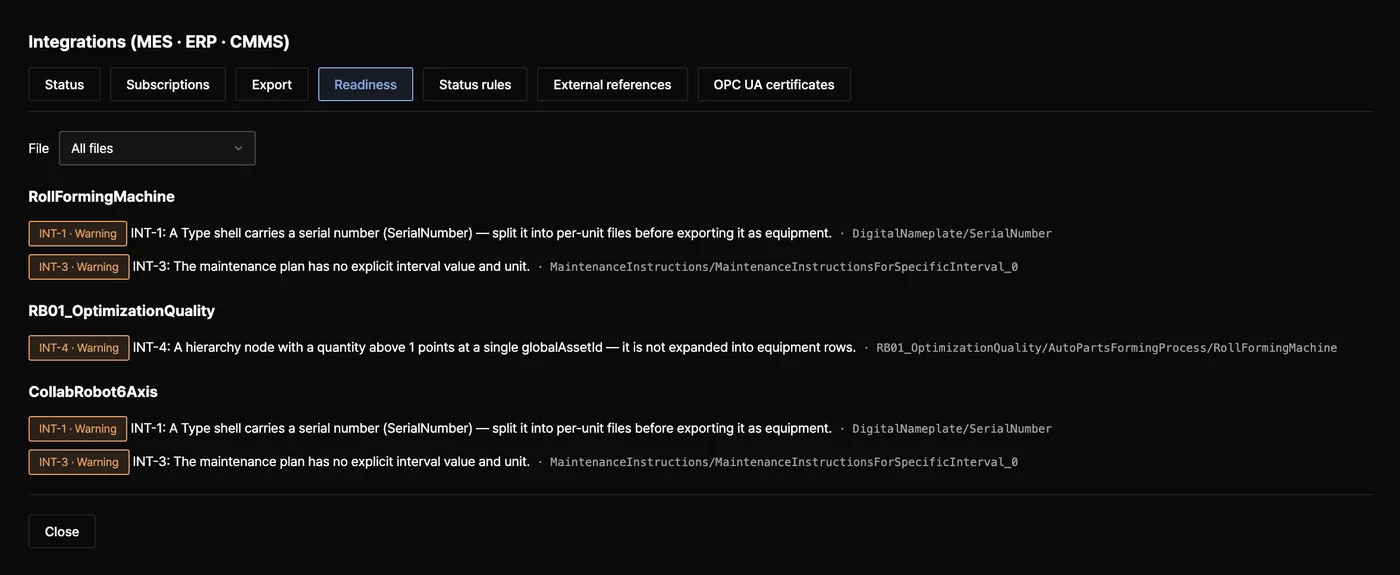
New in 2.0: MES, ERP and CMMS receive equipment events and master data
읽어 가는 주소(pull feed) — 모든 변경과 가동 사건을 CloudEvents 1.0으로 순서대로 내주고, 원하는 번호부터 다시 읽을 수 있습니다Pull feed — every model change and runtime event as CloudEvents 1.0, totally ordered, resumable from any cursor
서명 웹훅 — HMAC-SHA256 서명, 실패하면 다시 보내고 끝내 실패한 건은 따로 남깁니다Signed webhooks — HMAC-SHA256 signatures, retries, and dead letters kept for replay
MQTT — 같은 사건을 토픽으로 보내고, 설비마다 현재 상태를 retained로 둡니다MQTT — the same events on topics, with each machine's current state retained
판정 규칙 — 수집한 값으로 가동 상태 · 알람 · 계수기 · 한계값 사건을 만듭니다Runtime rules — state, alarm, counter and threshold events from collected values
내보내기 — 설비 마스터 · BOM · 공정 계층 · 보전 계획 · 문서 목록을 JSON · CSV로Exports — equipment master, BOM, hierarchy, maintenance plan and documents as JSON or CSV
외부 번호 — ERP · MES · CMMS 번호는 AASX 안이 아니라 옆에 따로 보관합니다External references — ERP, MES and CMMS numbers are kept next to the AASX, not inside it
연동은 INTEGRATIONS=on으로 켭니다(기본은 꺼짐). PostgreSQL에서 구독을 만들려면 AAS_SECRET_KEY도 필요합니다. 체험 서버에서는 항상 꺼져 있습니다.
Integrations are off by default — turn them on with INTEGRATIONS=on. Creating subscriptions on PostgreSQL also needs AAS_SECRET_KEY. They are always off on the trial server.
Docker Compose 또는 Node.js 22 이상에서 소스로 실행합니다. 외부 클라우드가 필요 없습니다.Docker Compose, or from source on Node.js 22 or later. No external cloud is involved.
저장소Storage
공유 운영은 PostgreSQL, 혼자 쓸 때는 데이터 폴더 하나에 저장합니다.PostgreSQL for shared use, or a single data folder for one person.
계정 · 역할Accounts & roles
관리자 · 편집자 · 열람자. 누가 무엇을 고쳤는지 변경 이력에 남습니다.Admin, editor, viewer — with an audit trail of who changed what.
어디에서 열리나Who can reach it
소스로 실행하고 계정도 API 키도 없으면 127.0.0.1에서만 열립니다. Docker 예시는 .env.example의 AAS_ALLOW_OPEN=1 때문에 같은 망에 열리므로, 띄운 직후 첫 관리자를 만들고 앞단에 HTTPS를 둡니다.Run from source with neither accounts nor an API key and it listens on 127.0.0.1 only. The Docker example opens it to your network (AAS_ALLOW_OPEN=1 in .env.example), so create the first administrator right after start and put HTTPS in front.
OPC UA 서버OPC UA server
기본은 꺼짐. 켜면 웹 계정으로 로그인하고 Sign · SignAndEncrypt만 받습니다. 익명 접속은 없고, 클라이언트 인증서는 관리자가 한 번 신뢰해 줍니다.Off by default. When on, clients sign in with a web account over Sign or SignAndEncrypt; no anonymous sessions, and an administrator trusts each client certificate once.
개인 작업 공간Private workspaces
AAS_WORKSPACE=private로 사람마다 자기가 올린 파일만 봅니다.AAS_WORKSPACE=private shows each person only what they uploaded.
로그인 보호Sign-in protection
비밀번호는 scrypt 해시만 저장하고, 5회 실패하면 5분 잠급니다. 쿠키는 HttpOnly · SameSite=Strict입니다.Only scrypt hashes are stored; five failures lock the account for five minutes. Cookies are HttpOnly and SameSite=Strict.
밖으로 나가는 연결Outbound connections
웹훅 · MQTT는 루프백 · 메타데이터 주소를 거부하고, 사설망은 허용 목록에 적은 곳만 갑니다. 서명 비밀값은 AES-256-GCM으로 봉합니다.Webhooks and MQTT refuse loopback and metadata addresses; private networks only when listed. Signing secrets are sealed with AES-256-GCM.
한계Limits
VEXPLOR AAS Studio가 하지 않는 일과 알려진 제약
What VEXPLOR AAS Studio does not do, and known limitations
합격 판정은 제출처 검증기가 합니다. 이 도구는 제출 전 사전 점검입니다.The receiving validator decides acceptance. This tool is a pre-check.
MES · ERP · CMMS에 쓰지 않고, 설비에 명령하지 않고, OEE 숫자를 계산하지 않습니다(재료가 되는 시간과 계수만 줍니다).It never writes into MES, ERP or CMMS, never commands machines and never computes an OEE number (it gives the time and counter inputs).
기본은 공유입니다. 로그인한 사람은 같은 파일을 봅니다. 개인 모드에서도 관리자와 API 키는 모든 파일을 봅니다.Shared by default: everyone who signs in sees the same files. Even in private mode, administrators and API keys see everything.
세션은 서버 메모리에 있습니다. 서버를 다시 켜면 모두 로그아웃되고, 서버 1대를 전제로 합니다.Sessions live in server memory: a restart signs everyone out, and one server instance is assumed.
메일을 보내지 않습니다. 비밀번호를 잊으면 관리자가 다시 정합니다.No e-mail is sent. If someone forgets a password, an administrator resets it.
연동 구독은 서버 전체 범위입니다. 한 고객의 자료가 다른 시스템에 가면 안 될 때는 구독을 파일 단위로 좁힙니다.Integration subscriptions cover the whole server; narrow a subscription to its files when one customer's data must not reach another system.
AAS 메타모델은 V3.0에 고정돼 있고 3.1로 자동 전환하지 않습니다. Part 2 API는 위 범위만 구현돼 있습니다.The AAS metamodel is pinned to V3.0 and not auto-upgraded to 3.1. The Part 2 API covers the operations listed above.
git clone https://github.com/waceinc/vexplor-aas.git && cd vexplor-aas
cp .env.example .env
sed -i.bak "s/^POSTGRES_PASSWORD=.*/POSTGRES_PASSWORD=$(openssl rand -hex 16)/" .env
docker compose up -d --build
셋째 줄은 비어 있는 데이터베이스 비밀번호(POSTGRES_PASSWORD)를 무작위 값으로 채웁니다. 이 값이 비어 있으면 Docker가 시작하지 않습니다.
Line three fills the empty database password (POSTGRES_PASSWORD) with a random value — Docker refuses to start while it is empty.
브라우저에서 http://localhost:8080을 열고 설정 → 첫 관리자 만들기로 들어갑니다. 이 서버는 같은 망에 열려 있어(AAS_ALLOW_OPEN=1) 첫 관리자를 만들 때 설치 코드를 묻습니다. 코드는 docker compose logs app | grep "설치 코드"로 찾습니다. 첫 관리자를 만들기 전까지는 같은 망의 누구나 이 서버를 열 수 있습니다.
Open http://localhost:8080 and go to Settings → Create the first administrator. The server is open to your network (AAS_ALLOW_OPEN=1), so it asks for a setup code, printed in the startup log: docker compose logs app | grep "설치 코드" (or grep "setup code" with AAS_LANG=en in .env). Until the first administrator exists, anyone on the network can open it.
체험 서버 상태를 확인하는 중입니다.Checking the trial server.데모 계정 demo / 0629 — 새 창으로 열립니다. 체험 서버는 시연용입니다.Demo account demo / 0629 — opens in a new tab. The trial server is for demonstration.체험 서버가 지금 응답하지 않습니다. 이 절의 Docker 명령으로 내 컴퓨터에서 실행할 수 있습니다.The trial server is not responding right now. Use the Docker commands in this section to run it on your own machine.
데모는 로그인할 때마다 빈 작업 공간이 따로 생기고, 한동안 쓰지 않은 파일은 지워집니다. 운영자가 볼 수 있으므로 기밀 자료는 올리지 마십시오.
Each demo sign-in gets its own empty workspace, and idle files are deleted. The operator can see them — keep confidential data on your own server.